



Healthcare automation can take many different shapes, but the majority of solutions concentrate on simplifying the daily repetitious, time-consuming, yet crucial duties that administrative staff must perform.
The simplest and most economical operations to automate are accepting new appointments, scheduling staff hours, and uploading new patient forms to your database. Staff adoption of low-code, user-friendly automation solutions has minimal to no learning curve and has little effect on the profitability of your practice. They might even save you money and time.
What are the advantages of automating a hospital or private practice?
Increased output from employees
It takes a lot of time to do administrative tasks. According to Serenity Gibbons of Forbes, employees may concentrate on more crucial jobs that are more difficult to automate when you can automate that function. In particular, nurses and doctors may concentrate on assisting patients.
Additionally, automation enables front-office employees to add greater value to the practice. According to Alain Bismark Almeida Diaz of KPMG, it’s crucial to remember that healthcare automation does not imply a decrease in the number of employees. Rather, it gives them more time to finish value-added tasks.
Decreased medical expenses
Healthcare automation can greatly lower some of the rising expenses of care, which are a major concern for both hospitals and practitioners. According to a research by the organization CAQH, “by transitioning to fully electronic processes,” the U.S. healthcare sector may save up to $13.3 billion annually, or 33% of the present spending on healthcare administration.
Obtaining data-driven insights
Practices and hospitals can gather more operational data the more jobs they automate. According to Michael Byczkowski, worldwide vice president and head of SAP’s healthcare industry, this data might assist you decide which tasks you might want to automate in the future and help employees make better decisions moving forward.
According to Andrew Steger of HealthTech, monitoring and evaluating data can help enhance the provision of healthcare. From the gathered data, additional technologies can produce analytics that give clinicians insights and result in more accurate diagnoses and customised treatments.
What tasks can you automate?
Management of patients
For front desk employees at offices and hospitals, patient management is frequently the most difficult task, but it’s also one of the simplest to automate. Spreadsheets and online forms can be used by your clinic to
- Gather new patient information quickly.
- Add patient intake information to your database automatically.
- Make online appointment schedules
- Organise those appointments.
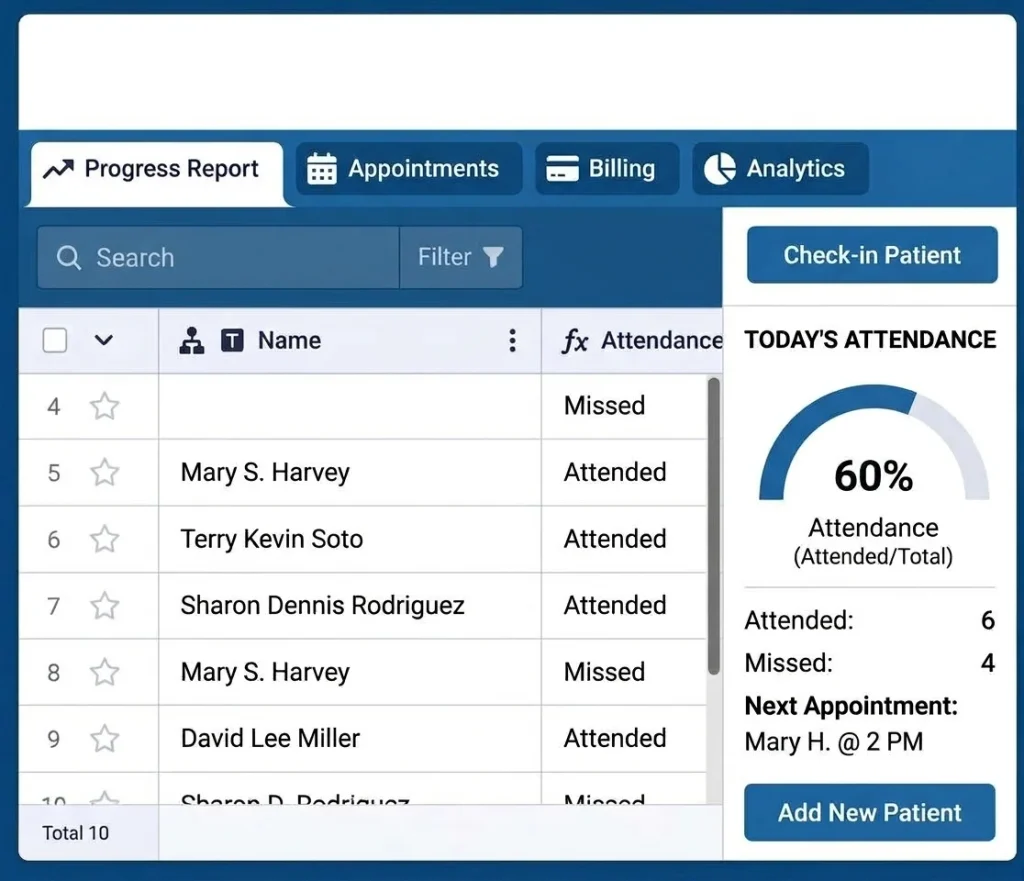
It is much more convenient to use an automated digital solution for scheduling patient appointments rather than having patients call and staff call back. Reminders for appointments can also be sent automatically by an automated system.
Automation also drastically cuts down on paperwork. Writing out appointment reminders, manually uploading data from new patient forms, and continuously updating pen-and-paper appointment books are all eliminated.
Management of inventories
Inventory management is typically little more than using a notebook and pen to create lists of supplies. It’s a complicated solution that can be expensive. Practices can cut expenses, guarantee on-time delivery, and shorten process management time by automating inventory management.
By using an online spreadsheet to track inventories, practices may automate the entire process. This system provides all employees with automated stock level reports and real-time, precise inventory location and level adjustments.
Scheduling of employees
Employee schedules on paper are obsolete. For a simpler and more adaptable approach, relocate staff scheduling online. Practice managers can make easily editable and automated digital schedules using Jotform’s personnel scheduling templates.
For instance, you can add entries to leave request forms automatically. Additionally, workers can “punch in” online, and their timesheets will automatically reflect the hours they work.

Comments are closed